 Screen2ipcam+
 Blue Iris
Add any Windows screen to Blue Iris
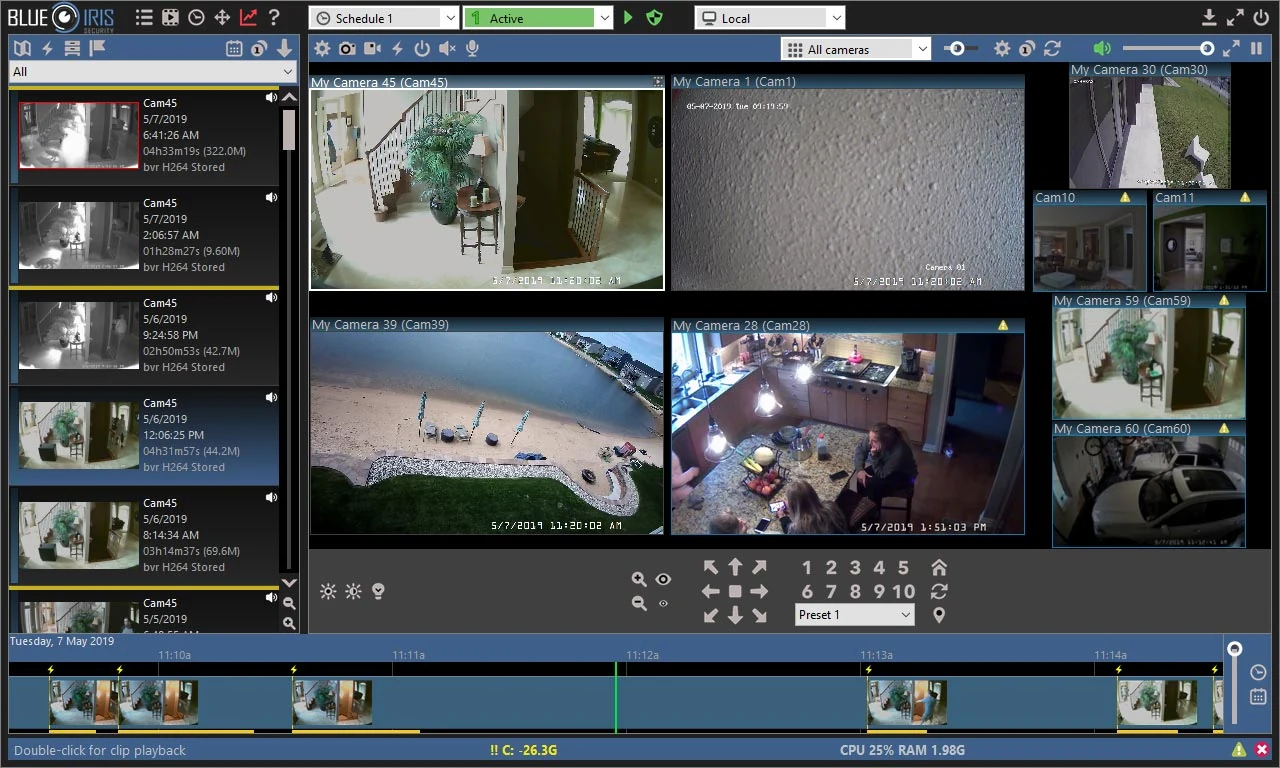
Blue Iris records ONVIF and RTSP cameras. Screen2ipcam turns any Windows PC screen into one, with a main stream to record and a sub stream that keeps Blue Iris light, even with many screens.
- ONVIF Find/Inspect
- RTSP H.264
- Main + sub stream
- Sound (G.711)
How it works
Three parts and one open standard. Nothing is installed on the recorder.
Your Windows PC
Screen2ipcam captures the screen (or one window) and encodes it as H.264, with the PC sound if you want it.
Your network
It answers on ONVIF port 8000 and streams over RTSP port 554, exactly like an IP camera.
Your Blue Iris
Adds the PC as one more channel, then records, searches and exports it with the cameras.
The values you will need
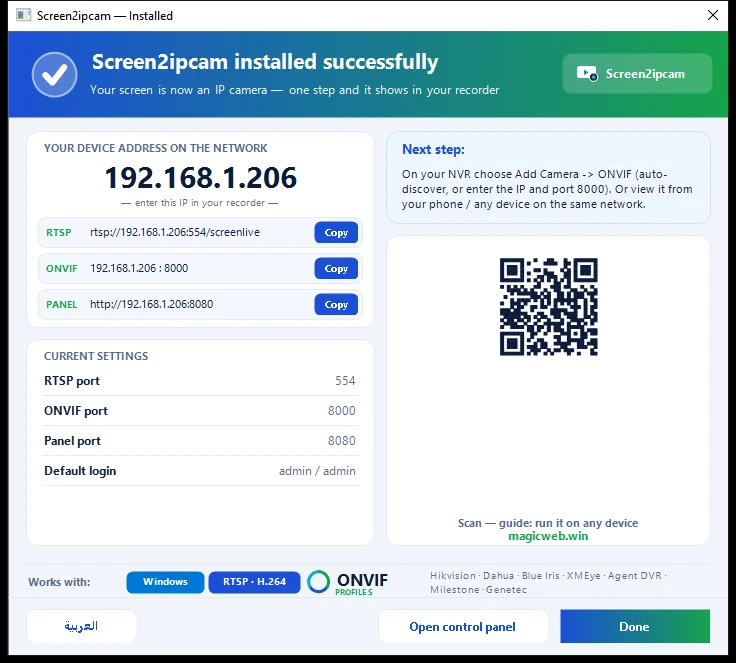
Copy them from the Screen2ipcam window on the PC. PC-IP is the address of that PC.
- ONVIF port
- 8000
- RTSP port
- 554
- User / password
- admin / admin (change it in Users)
- Main stream
- rtsp://PC-IP:554/screenlive
- Sub stream
- rtsp://PC-IP:554/screensub
- Discovery
- WS-Discovery · UDP 3702
Step by step
Prepare the PC
- Install Screen2ipcam on the PC whose screen you want to record (Windows 7 SP1 to 11, or Windows Server).
- Give the PC a fixed IP address, or a DHCP reservation on the router, so the recorder never loses it.
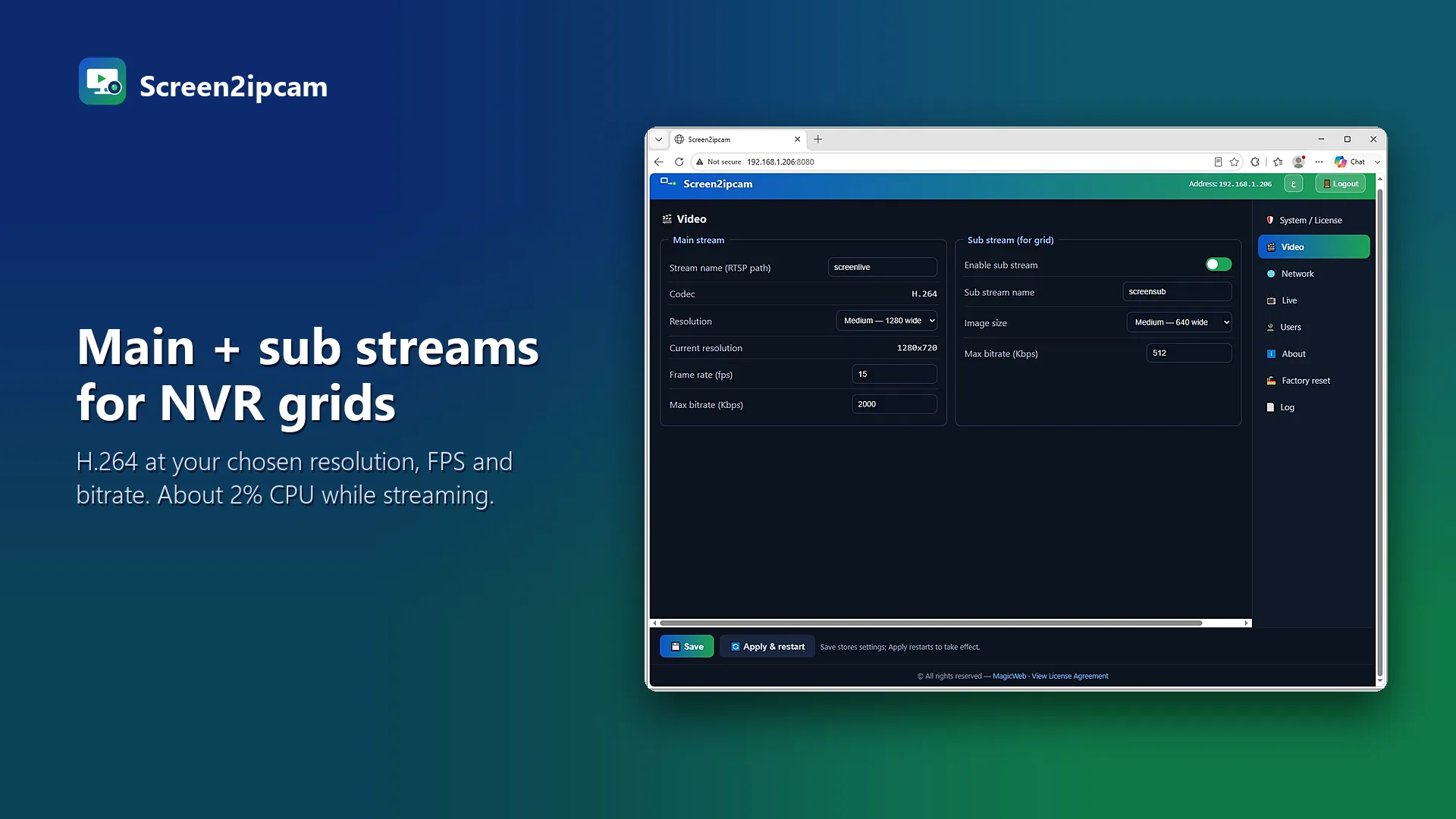
- In the Video tab choose the screen, the resolution, the frame rate and the bitrate (see the table below).
- When Windows asks, allow Screen2ipcam on private networks. Ports
8000and554must be open.
Add a new camera in Blue Iris
Click Add new camera, give it a name (for example Cashier 1) and choose the type Network IP.
Fill in the address and click Find/Inspect
- Address: the PC IP
- User / Password: the Screen2ipcam user
- Click Find/Inspect. Blue Iris reads the ONVIF profile on port
8000and fills in the streams.
/screenlive and the sub stream to /screensub, RTSP port 554.Use the main and the sub stream
Keep the main stream (/screenlive) for recording and the sub stream (/screensub) for live view and motion detection. Blue Iris then decodes the small stream and stays light.
Record
Record continuously, or let Blue Iris trigger on motion. Screen2ipcam can also send ONVIF motion events when the screen changes, and Blue Iris can use the camera events as triggers.
Recommended settings
These are the values from our real recorder test. A PC screen changes little, so 10 frames per second is plenty and keeps the bitrate low.
| Setting | Main stream (recording) | Sub stream (live grid) |
|---|---|---|
| Codec | H.264 | H.264 |
| Resolution | 1920×1080 | 640×360 |
| Frame rate | 10 | 10 |
| Bitrate | 2000 kbps | 512 kbps |
| PC sound (optional) | G.711, recorded with the video | |
Watch it wherever you watch your Blue Iris
Once the PC is a channel on the recorder, it is part of the system like any camera.
If the channel stays offline
Find/Inspect finds nothing
No signal after adding
Blue Iris uses a lot of CPU
The PC has a VPN or two network cards
Questions and answers
Can I add it with RTSP only?
Does motion detection work?
Can Screen2ipcam run on the Blue Iris PC?
Is there sound?

Put your first screen on the Blue Iris today
Every feature for 14 days. Then $20 once per PC, no subscription, works offline.
Other recorders and VMS
 Listed
Nx Witness
Listed in the official Nx Integration Directory. Add the PC by ONVIF in Nx Witness.
Read the guide →
Hikvision
Custom Add over ONVIF on Hikvision NVRs and hybrid DVRs.
Read the guide → Tested
Dahua
Search Device, add, record. Tested on a real Dahua NVR.
Read the guide →
Intelbras
NVD NVRs and MHDX DVRs over ONVIF. Also in Portuguese.
Read the guide →