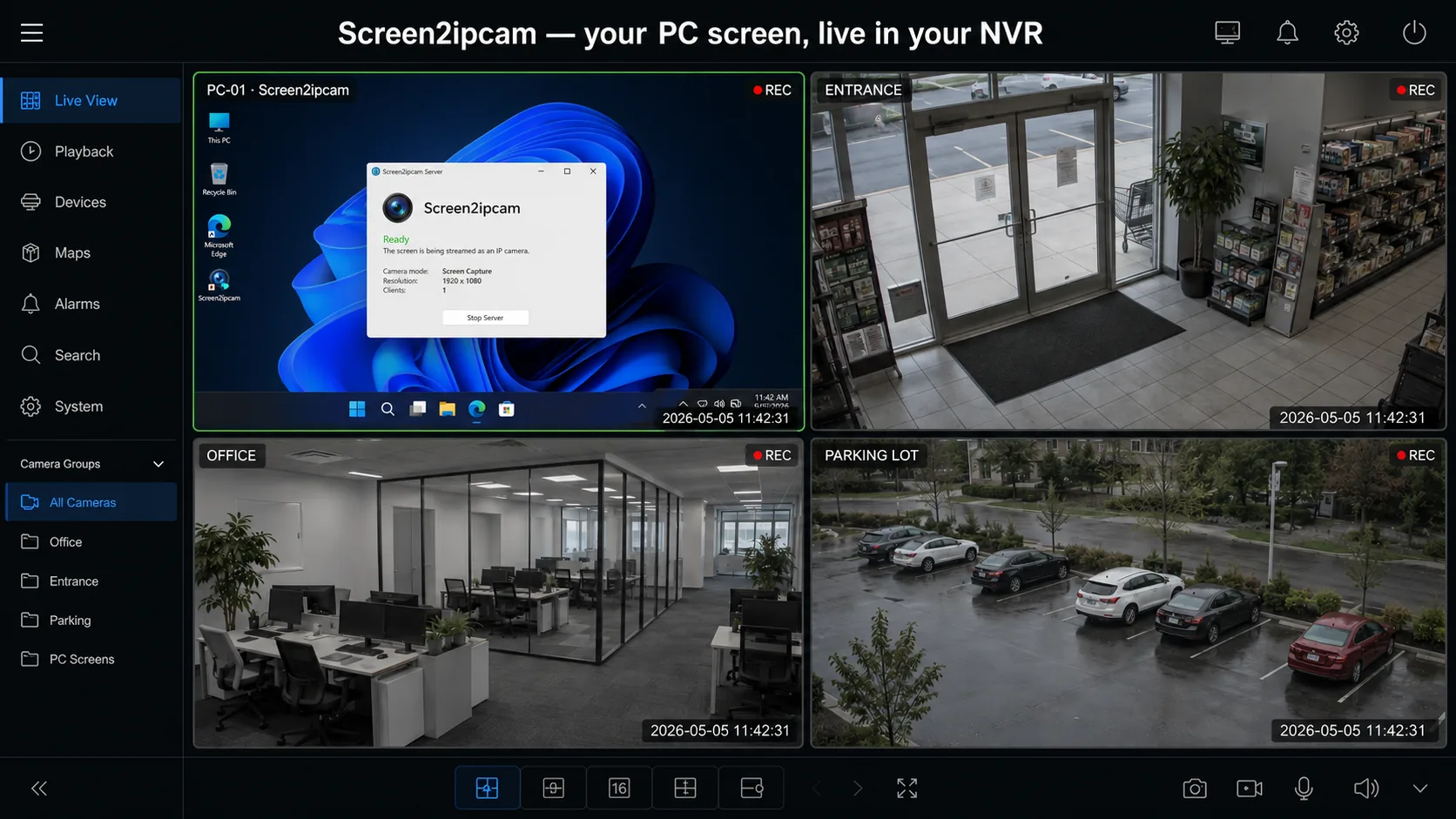
What was published
Our integration page in the Nx Integration Directory describes how Screen2ipcam turns a Windows PC screen into a standard ONVIF / RTSP camera for Nx Witness, with setup videos.
How it works with Nx Witness
Nx Witness discovers Screen2ipcam on the network through ONVIF, as a camera from the vendor MagicWeb. It can also be added by IP with ONVIF port 8000. The screen is then recorded, searched and exported with the same layouts, timeline and rules as the site cameras. Tested with Nx Witness 6.1.2 (build 42921).
💡
One setting to remember
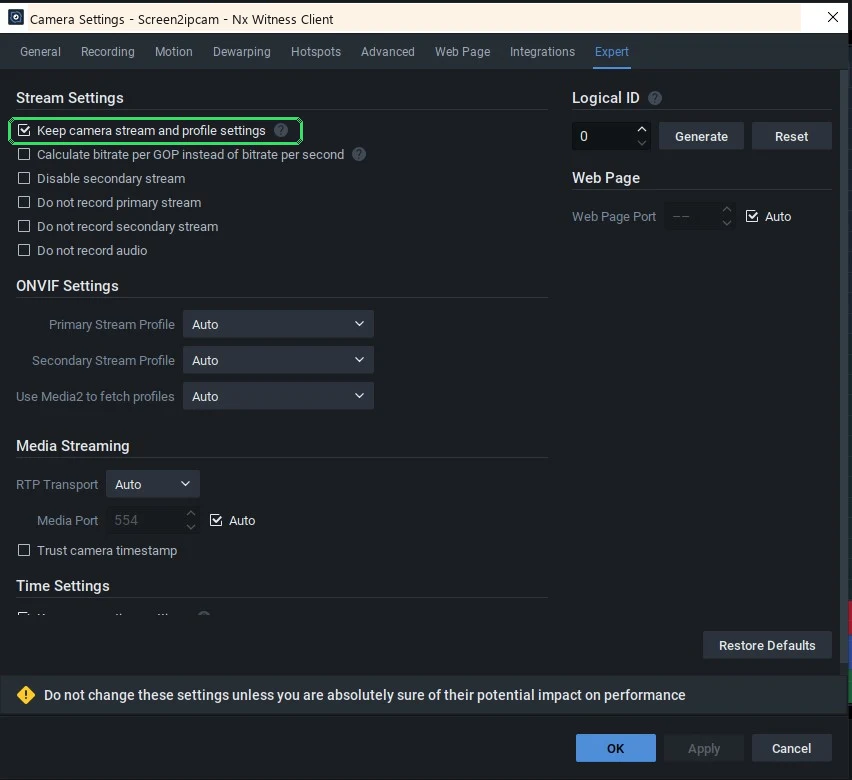
In Nx Witness open Camera Settings → Expert and check Keep camera stream and profile settings, so the camera stays online. Full steps: Nx Witness setup guide.
Key points
- ONVIF Profile S discovery in Nx Witness, nothing installed on the Nx server
- Main stream for recording and a sub stream for the grid
- ONVIF motion events when the screen changes
- About 2% CPU, runs as a Windows service on Windows 7 SP1 to 11 and Windows Server
- Offline license, suited to closed CCTV and POS networks